top of page


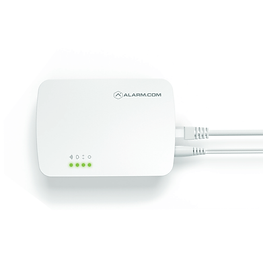
Alarm.com Smart Gateway & Alarm.com
The Alarm.com Smart Gateway is a security and automation hub designed to work with Alarm.com services. If you already have a compatible Smart Gateway installed, it may be possible to activate service through True-Link using your existing equipment.
How to Find Your Alarm.com Smart Gateway IMEI
On the Alarm.com Hub:
The serial number is found on the bottom of the hub and is marked SN.
Default Codes
Activating Your Alarm.com Smart Gateway with Alarm.com
To activate your Alarm.com Smart Gateway with True-Link, you'll need the equipment's IMEI or serial information and access to the system. Find the required identifier using the instructions below, then choose a True-Link Alarm.com plan and submit your activation information online. We can activate eligible systems remotely.
bottom of page